Deployment
Introduction
Introduction
This guide will walk you through each step required to create a scalable, secure, and high-performance architecture. Whether you're new to AWS or Terraform, this guide will provide clear instructions to set up your infrastructure efficiently.
Step 1: Understanding the Web Application Architecture
Before diving into the setup, it’s important to understand the architecture we’ll be building.
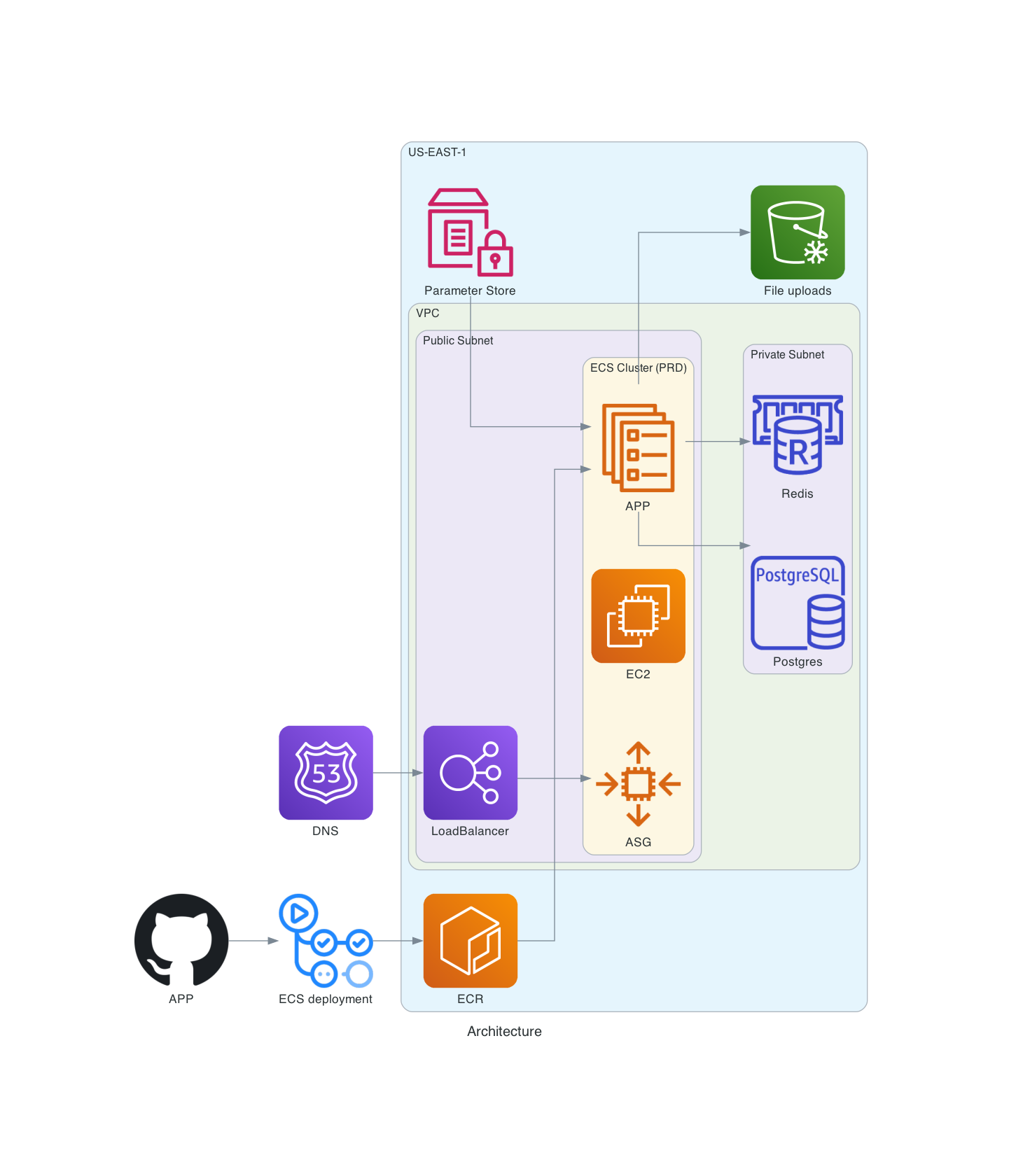
Frontend Components
- CloudFront: Distributes web content stored in an S3 bucket, ensuring low-latency and high-speed content delivery to users around the world.
- S3 Bucket: Stores the static files of your web application, like HTML, CSS, and JavaScript.
Backend Components
- ECS (Elastic Container Service): Orchestrates Docker containers running your backend application.
- EC2: Deploys an ECS cluster with an EC2 Auto Scaling Group (ASG) to manage and scale your containerized applications.
- Load Balancer: Directs incoming traffic to your ECS containers, enhancing availability and reliability.
Database Components
- RDS (PostgreSQL): Provides a managed relational database for storing and managing your application’s data securely and efficiently.
Networking Components
- VPC (Virtual Private Cloud): Segments your AWS resources into isolated and secure network environments.
- Public Subnets: Host publicly accessible resources such as the Load Balancer.
- Private Subnets: Securely house resources like ECS containers and the RDS instance, preventing direct exposure to the internet.
Security Components
- ACM (AWS Certificate Manager): Handles SSL/TLS certificates to ensure secure communication between your services and users.
- IAM (Identity and Access Management): Controls access to AWS services and resources, ensuring only authorized entities can manage your infrastructure.
With a basic understanding of the architecture, let’s move on to setting up the necessary Terraform modules.