AWS Management
Managing Environment Variables
Common steps
- Login to AWS
- Navigate to Systems Manager > Parameter Store for given region
Example for eu-central-1:
Adding new parameter
- Create new parameter
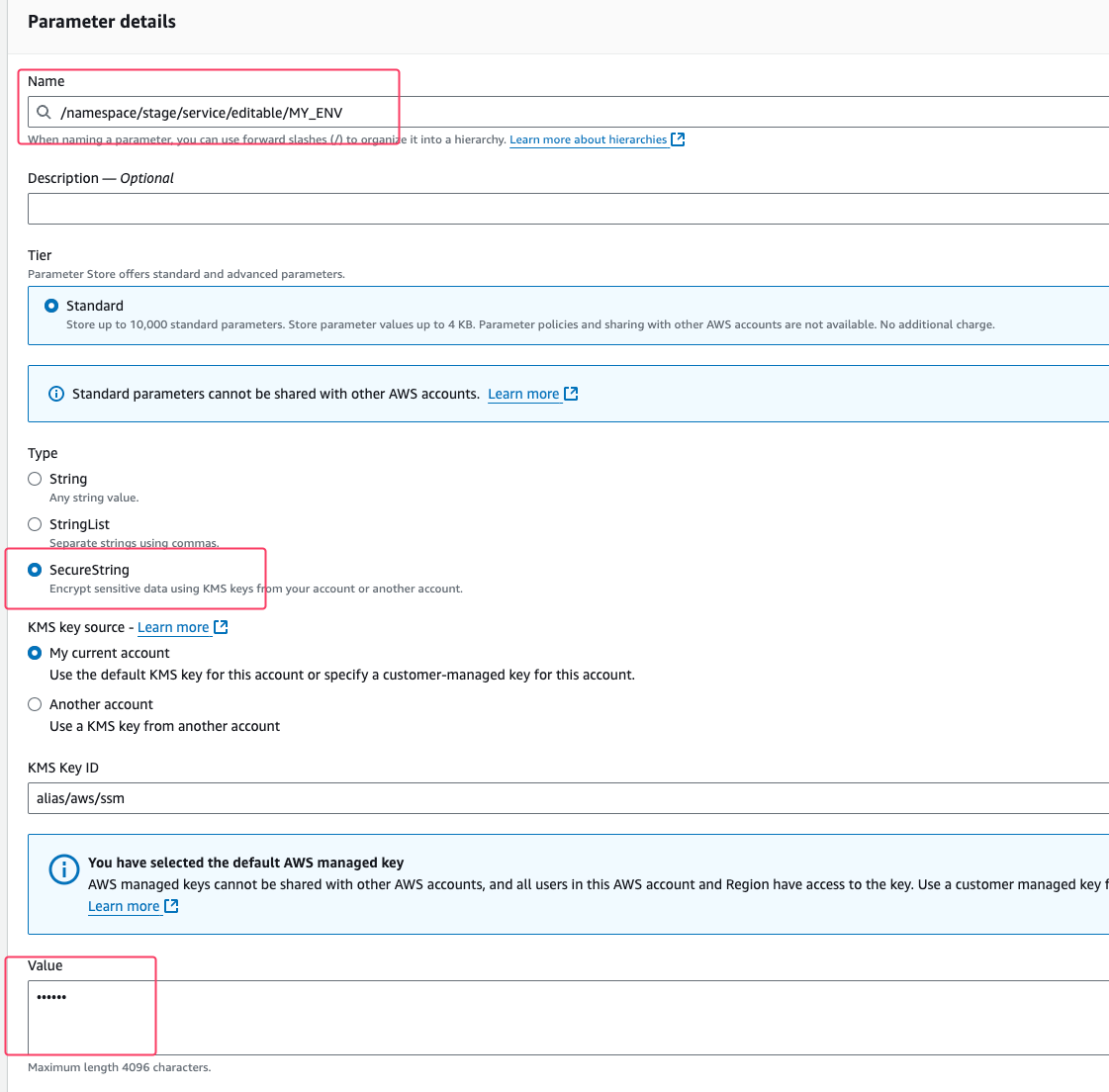
- Add parameter name and value:
- make sure it matches the valid service and stage
- make sure it is
editablepath (terraformis reserved for setting envs from terraform) - use
CAPITAL_CASEfor the name (path is still lowercase) - example:
/namespace/stage/service/editable/MY_ENV
- Select
SecureStringas type - Press "Create parameter" button
- Add environment variable to the appropriate
.github/workflows
Updating parameter
- Edit parameter value (
editableone) and save. - Restart the service (or wait for the next deployment)
Removing parameter
- Remove environment variable from the appropriate
.github/workflows - Wait for the next deployment
- Once the service is restarted, remove parameter from SSM Parameter Store