Deployment
Creating CF Worker
Static hosting with CDN and serverless functions
Cloudflare Pages
Cloudflare Workers now cover the main Cloudflare Pages use cases, including static SPA hosting.
When to use this page
- You are deploying an SPA/static frontend to Cloudflare.
- Your backend API is hosted elsewhere (for example on Fly.io).
- You want CI-based deploys from GitHub.
Prerequisites
- Cloudflare account and required permissions.
- Access to the target GitHub repository.
- Build command working locally (for example
pnpm run build). wranglerinstalled as a dev dependency.
pnpm add -D wranglerCreate the Worker project in Cloudflare
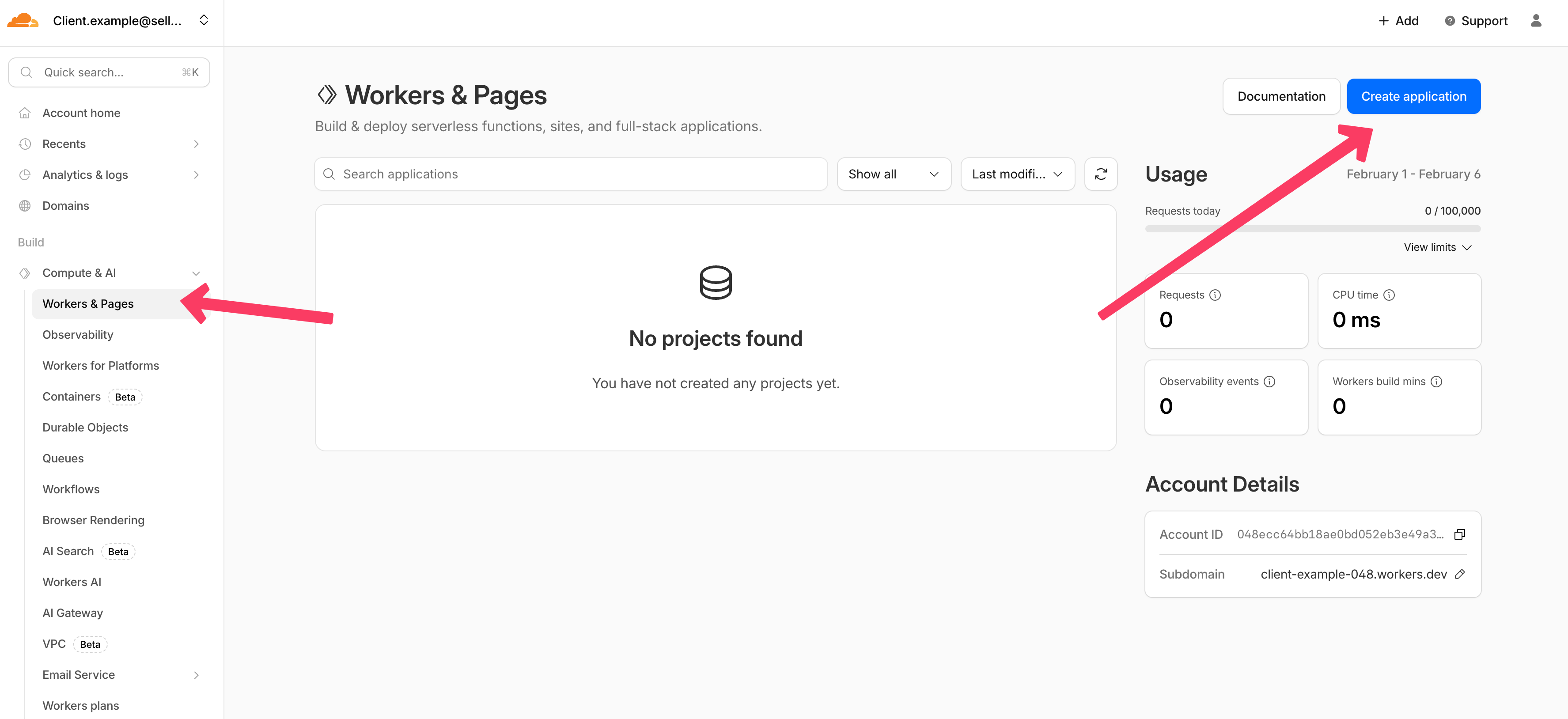
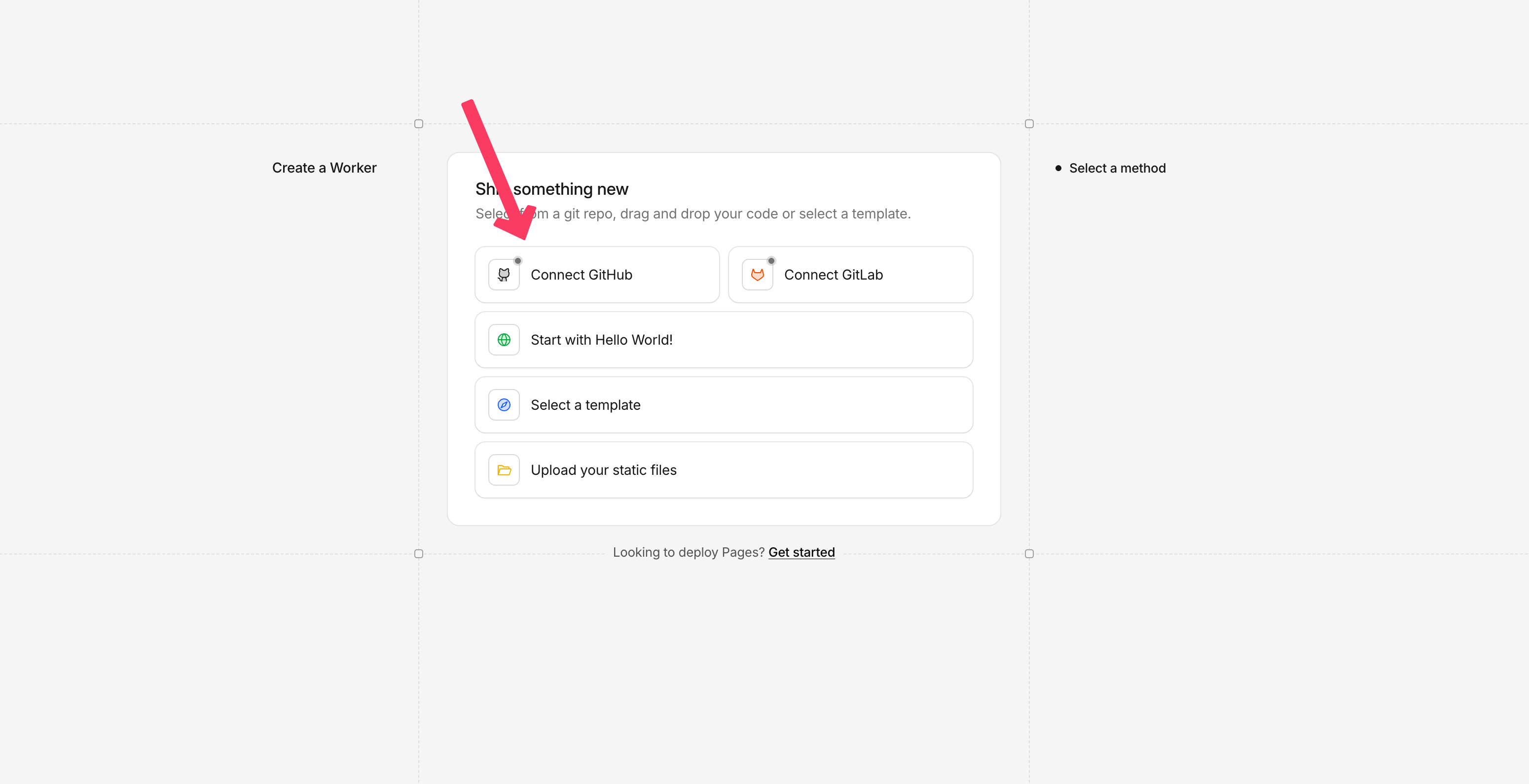
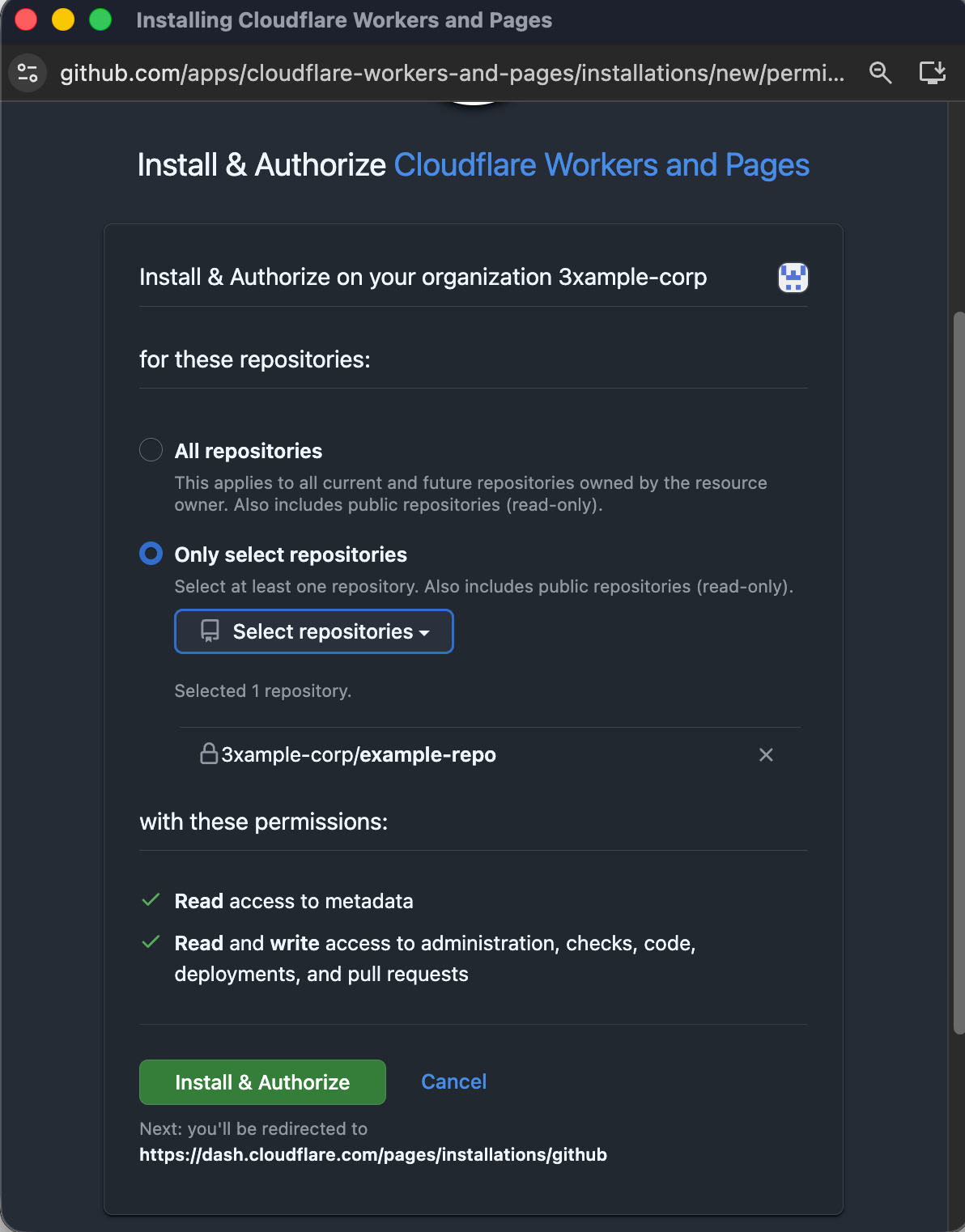
Grant access only to the repositories required for deployment.
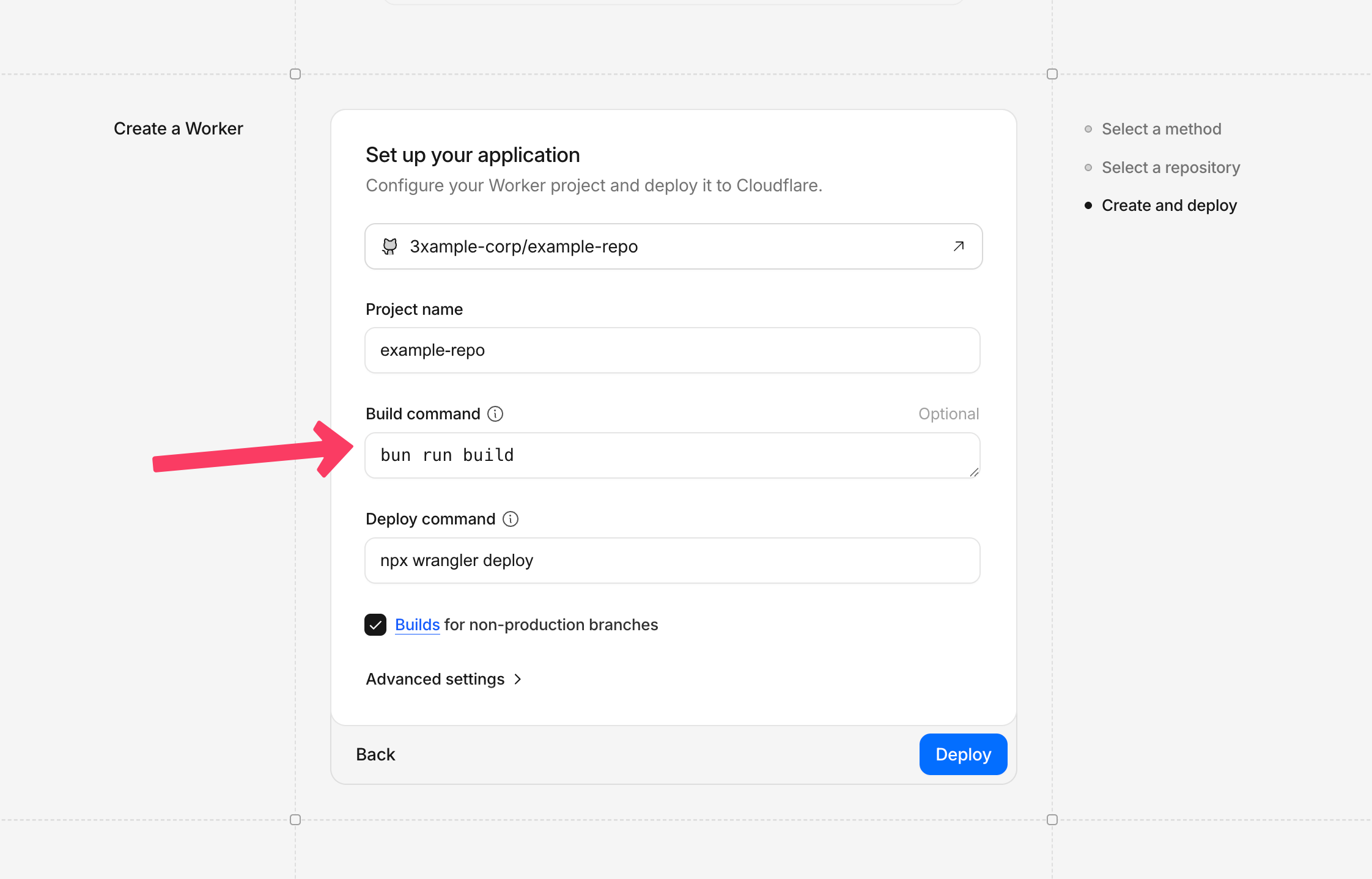
Set project name and build command. You can adjust these later.
Configure wrangler.jsonc
First build
The first deployment may fail until build settings, assets path, and environment variables are complete.
Create wrangler.jsonc in the repository root:
{
  "name": "my-frontend-app",
  "compatibility_date": "2026-02-07", // Set to your selected runtime compatibility date from Worker settings
  "assets": {
    "directory": "./dist/client", // Update to your framework output directory
    "not_found_handling": "single-page-application" // for SPAs
  },
  "vars": {
    "VITE_API_URL": "https://example-app.fly.dev" // change appropriately
  },
  "account_id": "0000000cd3192dd08fe8e10000000a" // Found in Cloudflare dashboard URL/account settings
}
Deploy
- Push to the deployment branch configured in Cloudflare (commonly
main), or trigger deployment manually in the dashboard. - Optional manual deploy from local machine:
pnpm run build
pnpm wrangler deploy
Verify
- Deployment is successful in Cloudflare dashboard.
- Worker URL serves your SPA and client-side routes resolve correctly.
- API calls use the expected
VITE_API_URL.
Troubleshooting
- Build fails with missing files:
Confirm
assets.directorypoints to your actual build output. - API calls hit wrong backend:
Confirm
VITE_API_URLvalue for the target environment. - Repository not visible in Cloudflare: Confirm org admin granted access to the specific repository.