Setup
Cloudflare Account
Create Cloudflare account and organization access for DNS and Workers.
When to use this page
- You need Cloudflare for DNS, CDN, and/or Workers deployment.
- You are preparing organization-level access for a client project.
Prerequisites
- Email address dedicated to the client organization.
- Team admin emails for role assignment.
Cloudflare can be used for DNS management, CDN, security features, and Workers-based hosting. For smaller projects, the free tier is often sufficient to start.
Client Organizations
On the free tier you can create one organization per account. For client work, create an account on the client's custom company email and grant required admins access.
Step 1: Account creation
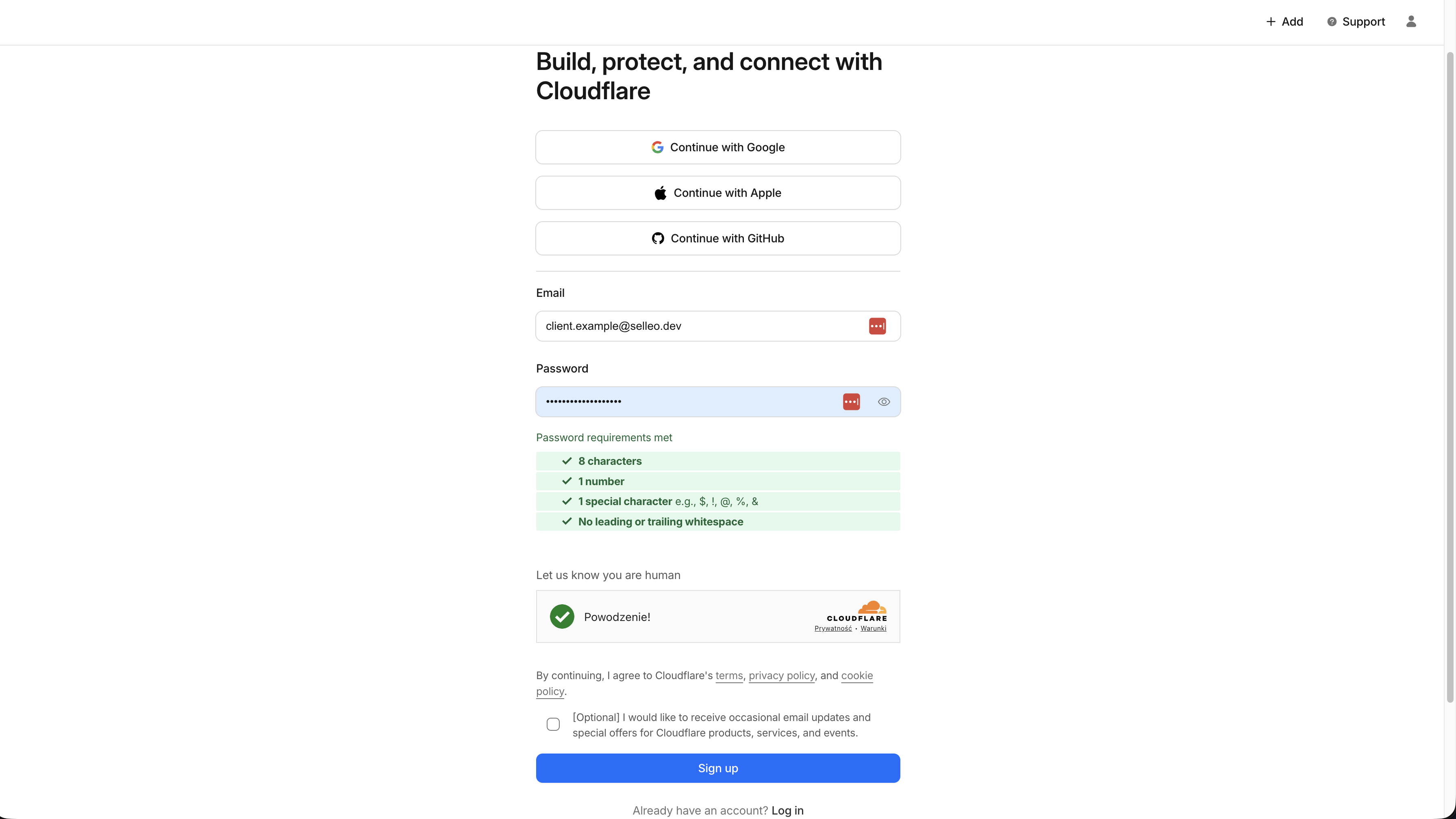
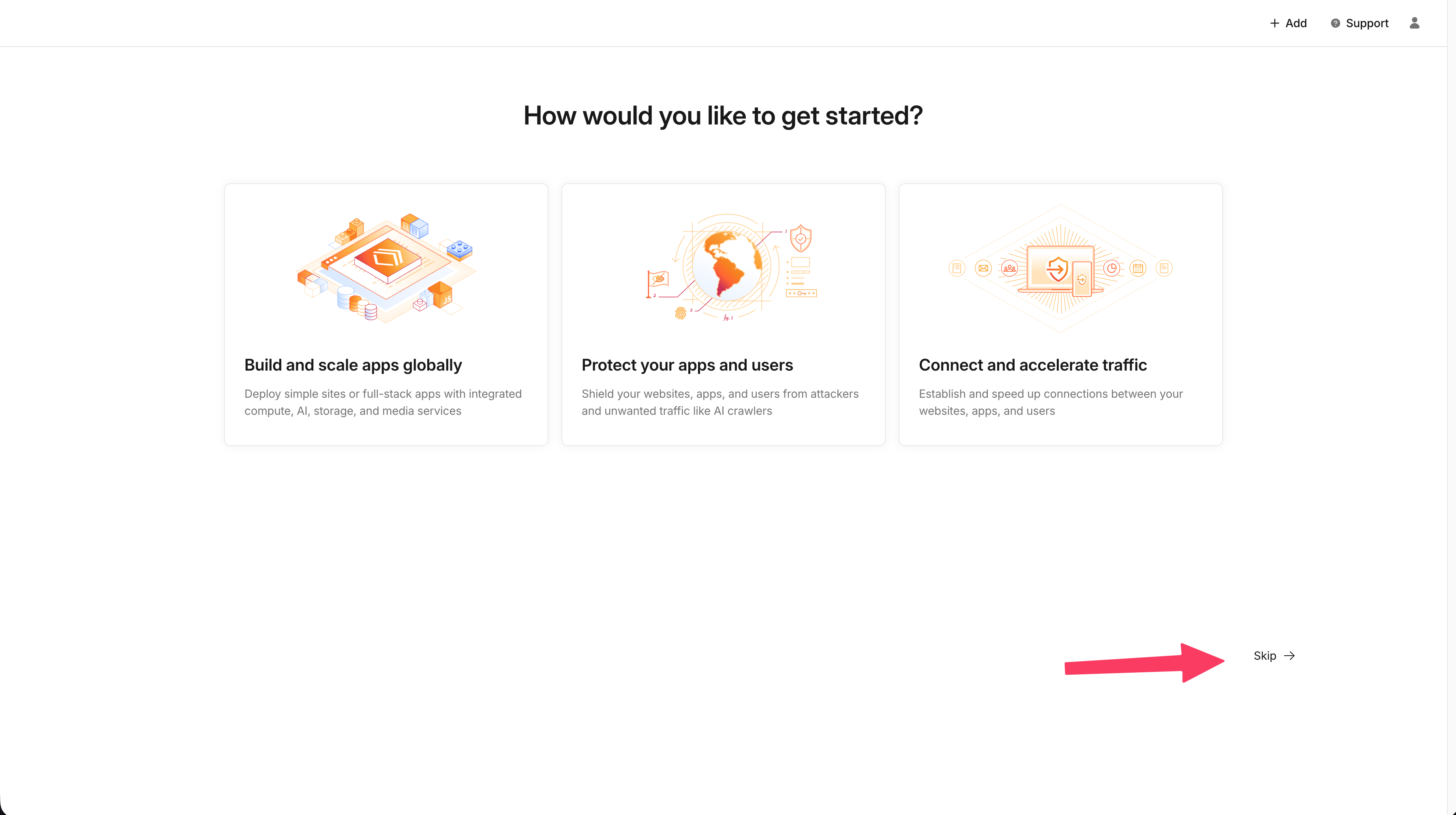
Verify Email
Make sure to verify your email address to unlock all features of your Cloudflare account.
Step 2: Team and organization setup
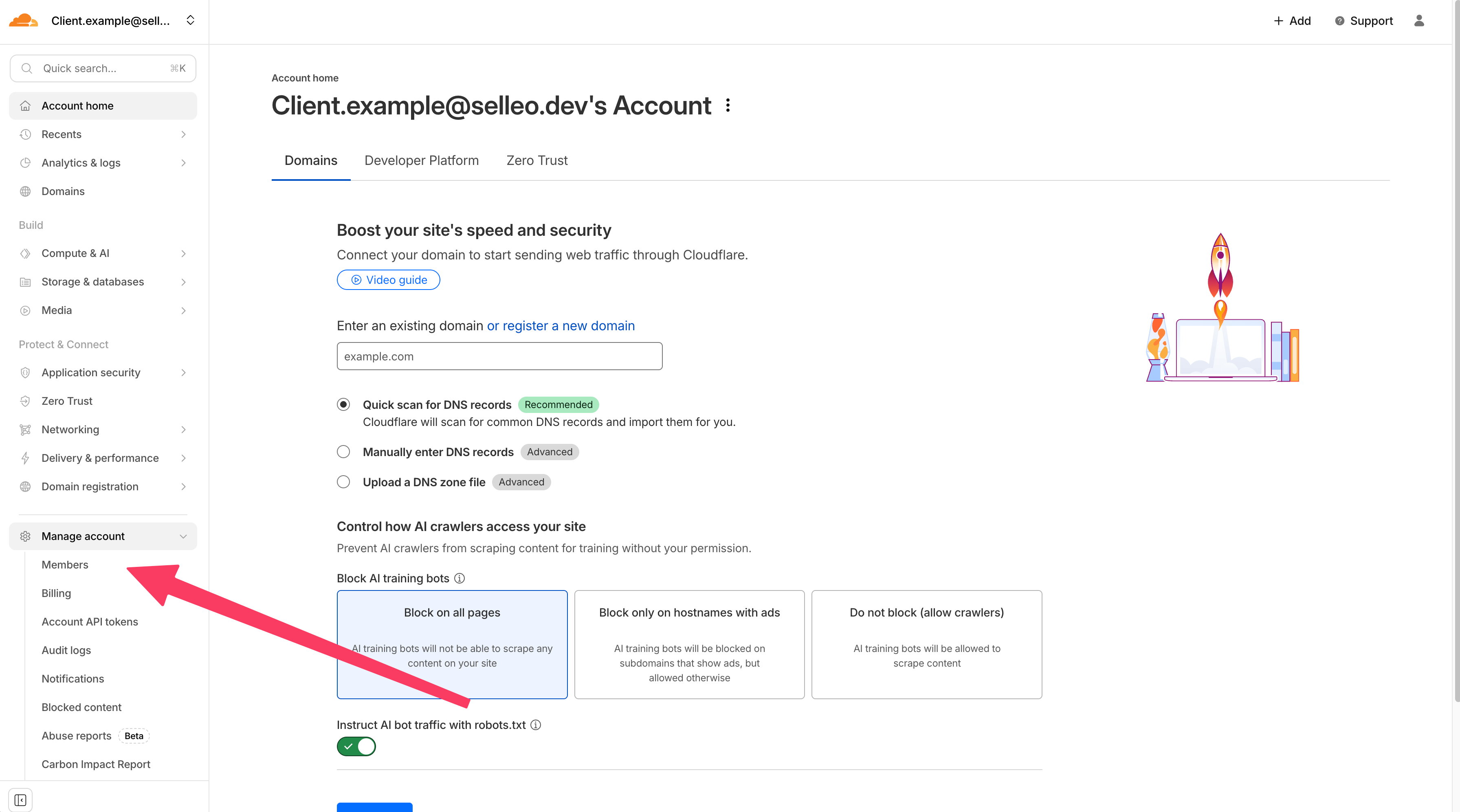
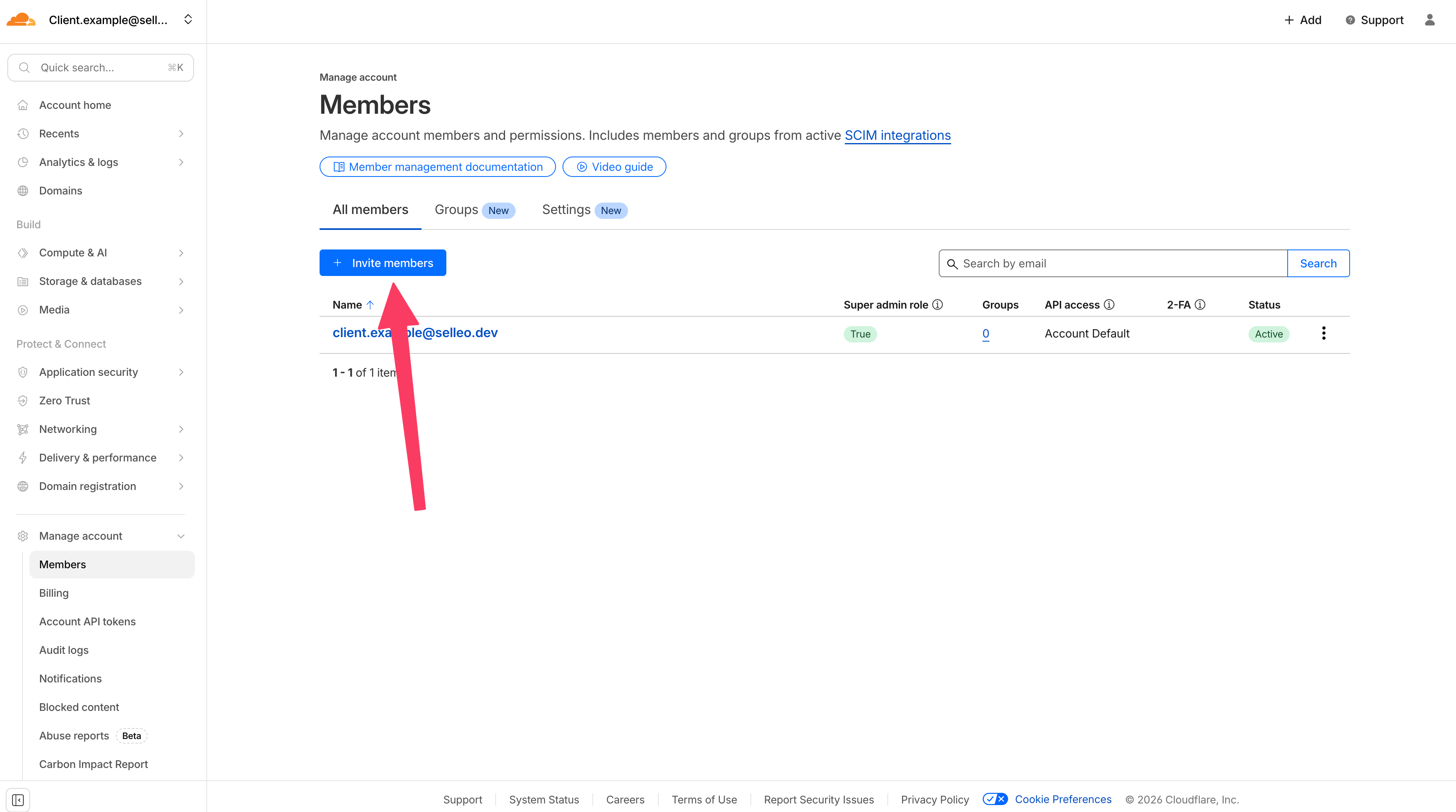
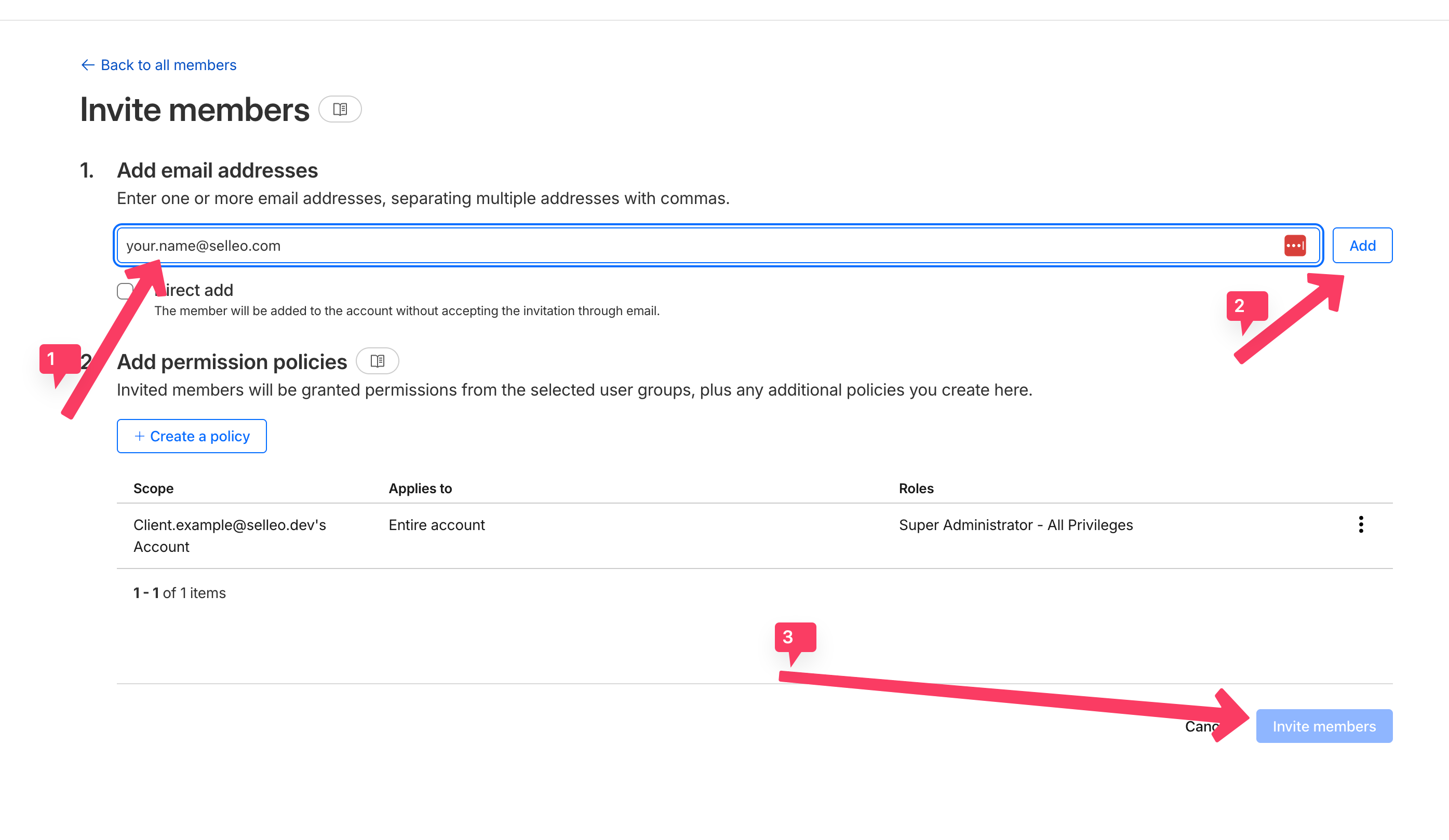
Create a user with super-admin permissions for platform management.
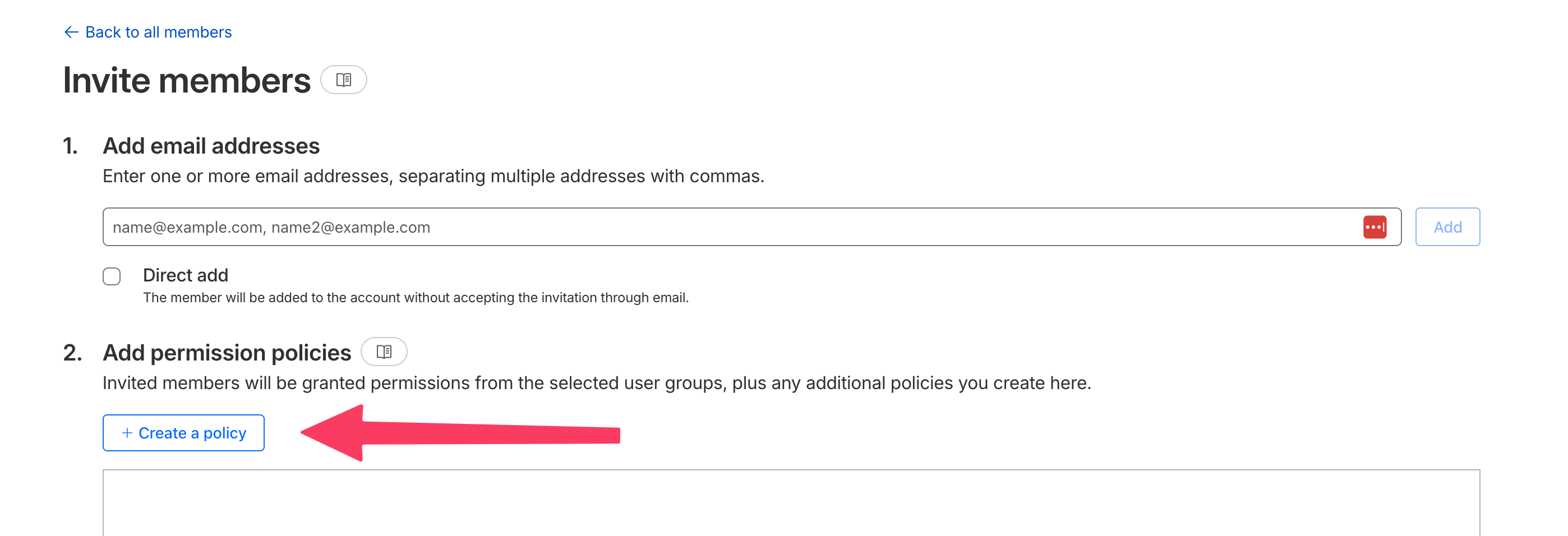
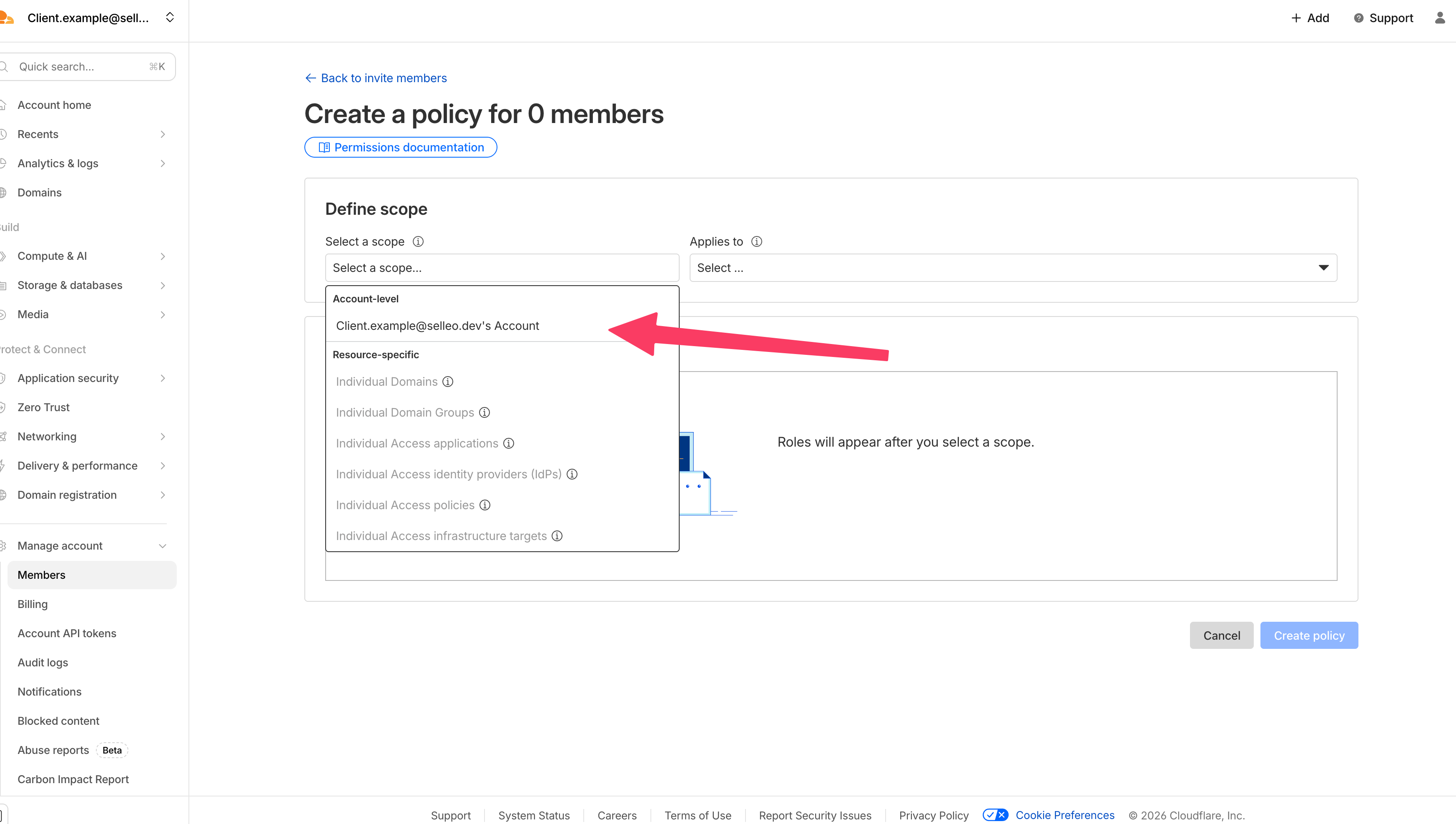
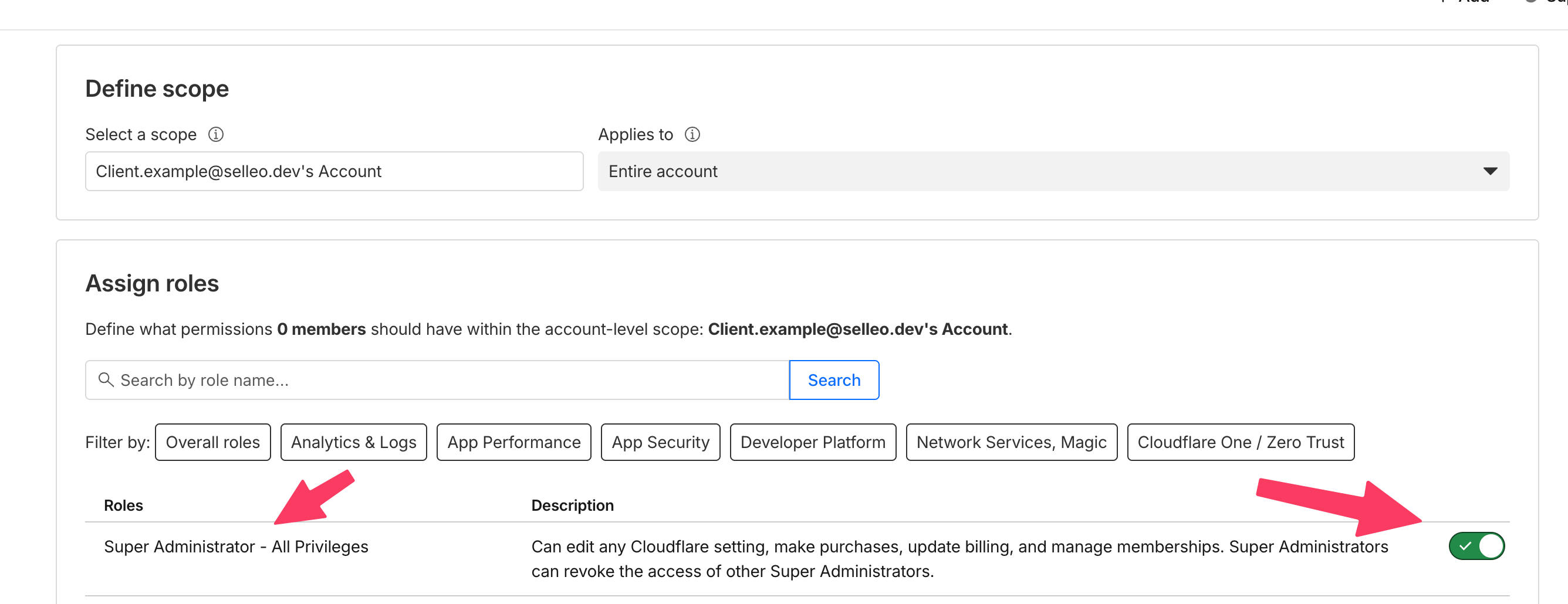
Add team admin email addresses.
Step 3: Enable 2FA

Verify
- Account email is verified.
- Admin users can access the Cloudflare organization.
- 2FA is enabled for admin accounts.
Troubleshooting
- Missing organization access: Recheck invite status and assigned roles in Cloudflare dashboard.
- 2FA enforcement issues: Confirm policy is enabled and users completed device enrollment.